
WorldShare Record Manager contains records in many languages. Consortium policy requires that all downloaded records be in English, even if the resource itself is in a different language.
Method 1: Enhanced Search Results
After performing a search, the language of the record is displayed directly in the result summary list.
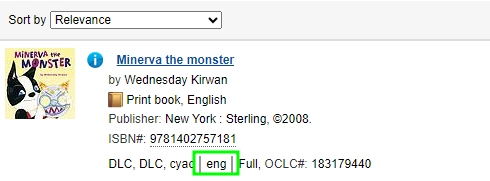
Method 2: MARC Field 040 $b
When viewing a specific MARC record, check the 040 tag. Subfield |b indicates the language of the cataloging agency.

Method 3: Search Facets
After a search is performed, you can use the sidebar filters to narrow your results. Use the Language of Cataloging facet and select English.
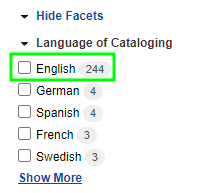
Method 4: Advanced Search Limits
Before searching, you can set a permanent limit. In the Advanced Search screen, select English (eng) from the Language(s) of Cataloging dropdown menu.

Common Language Codes Reference
If you see these codes in the 040$b or search results, the record is not in English and should not be downloaded.
| MARC Code | Language of Cataloging |
|---|---|
| eng | English (Approved for SEO) |
| spa | Spanish |
| fre | French |
| ger | German |
| ita | Italian |