The routing feature in WorkFlows Serials allows you to print a routing slip for staff to accompany a newly checked-in magazine.
New Users: If you have not used the routing feature before, please contact SEO to configure your routing slip print settings.
Reminder: Since serial control records must be recreated annually, routing slips also need to be updated each year.
How to Create Routing Information
- From the SERIALS toolbar, click on the Modify Control wizard.
(Note: You can also set up routing while initially creating a new control record.)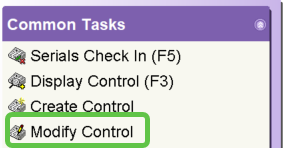
- Search for the serial title and select the correct control record.

- Click Modify Control at the bottom of the screen.
- Navigate to the Routing tab and click the Create A New Routing helper (the icon with a plus sign).

- Input the User ID and Rank for the routing slip.
Tip: Users with a lower rank number (e.g., 1) will receive the issue before users with a higher rank.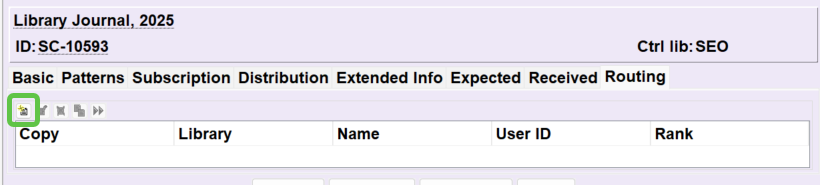
- Click Create Routing. Repeat these steps to add all necessary staff members.
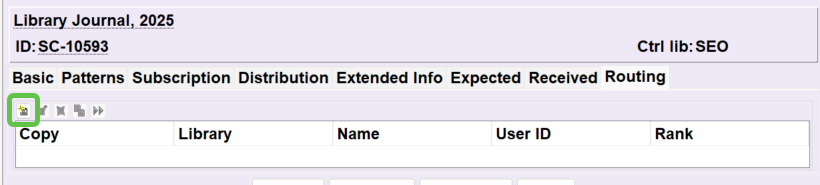
Additional Routing Helpers
Once a routing list is established, you can use these helpers to manage the order:
 Modify a Routing: Change an existing user's rank.
 Delete a Routing: Remove a user from the slip.
 Copy a Routing: Duplicate a routing list to another title.
 Transfer a Routing: Move all routings from one user to another.
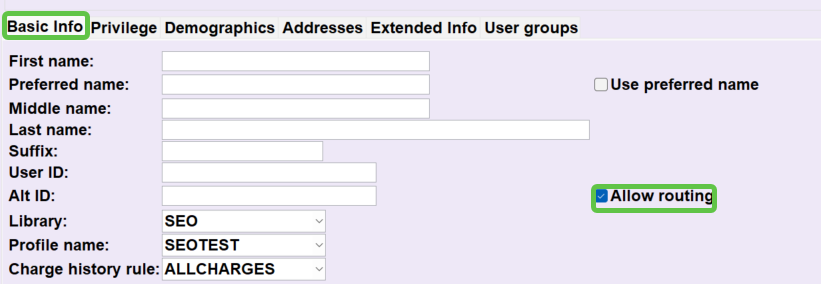
Crucial Setting: For a staff member to appear on a routing slip, the Allow Routing checkbox must be selected in their user account.